
One job, from your calendar to your client.
What the day looks like with Doxvora in your hand, whatever your line of work. Narrate what you see and photograph it as you go, and Doxvora writes the report.
Schedule
Put the job on your calendar, at an open time or any time you choose. The property, your client and everyone else on the job are in one place.
Start
At the property, open the job and start it. From here on, everything you record belongs to this job.
Capture
Say what you see the way you would say it to a partner standing beside you, and take photos as you talk. A photo attaches to what you were saying when the shutter fired. Doxvora does not tell you where to start or what order to go in.
Clarify
Doxvora separates what you said into the distinct things you observed, decides where each one belongs, and writes it the way the report needs it written. Every observation shows you where it landed, and you can change it.
Wrap up
The report asks for things a narration will not naturally produce. Wrap up asks for each one, a single question per screen, and only the ones you have not answered.
Generate and read
One tap builds the report from what you recorded, and you read the whole thing on your phone or iPad before anyone else sees a page of it.
Deliver
One more tap sends it. Your client opens a page rather than an attachment, and you can see that it landed.
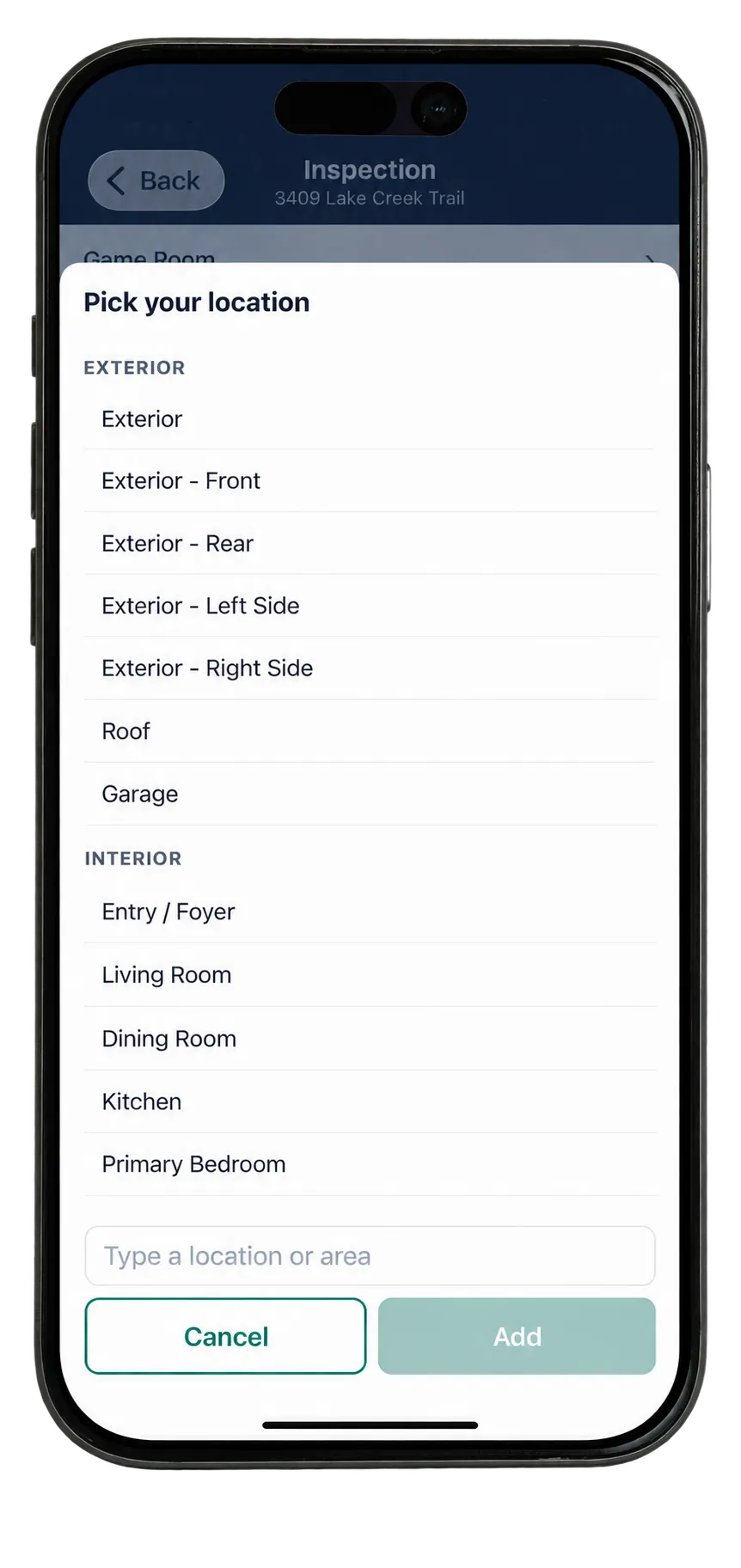
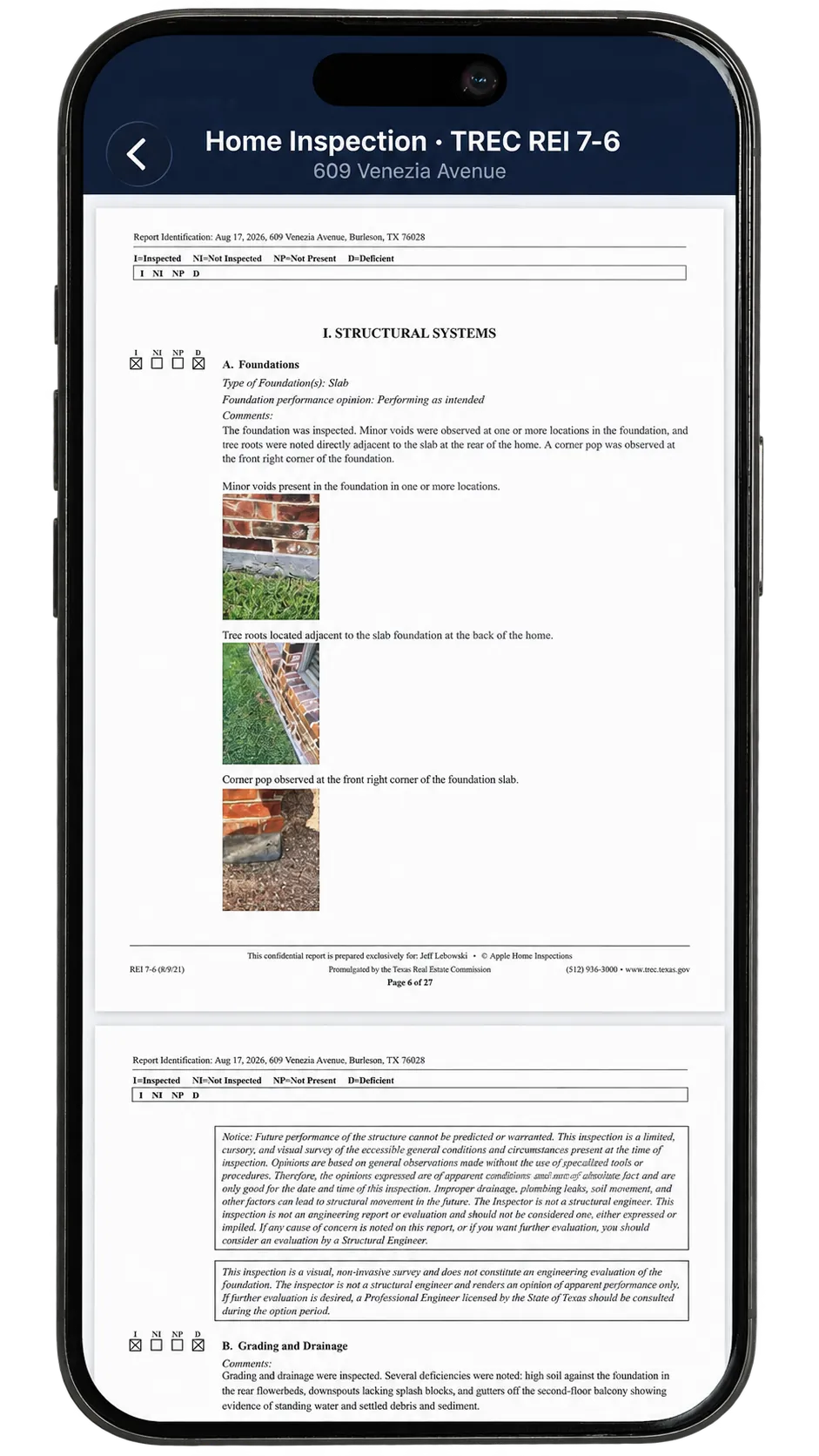
The same in every line of work.
Your words, under your hand
Doxvora drafts and you sign. It never adds a fact you did not state or a cause you did not give, and anything it wrote you can change.
No signal needed to capture
Everything on the property runs on the device. Building and sending need a connection, and the app says so.
No audio, ever
Your speech becomes text on the phone. No recording is kept, and your photographs are never sent to an AI service.
Phone and iPad
One of each, on one account, with the same jobs on both.
A page for your client
A link and a separate password, always showing the current version of every report.
One account
If you work in more than one line of work, each has its own profile, services and plan under the one sign-in.
See it in your line of work.
What you narrate, what the report holds and what you hand over are on each line of work's pages.
Home inspection
For licensed Texas home inspectors
You hand over the State's forms: the TREC REI 7-6, and the SPCS T-5 termite report if you hold the license, both from one narration.
Doxvora for home inspection →Loss assessment
For engineers assessing a loss
You hand over your report on the claim: what you observed, the cause you give and what you recommend, with your readings and under your seal.
Doxvora for loss assessment →Free to download.
Your account is made in the app, and setup takes you through the rest.